# Create a schema
This guide will demonstrate how to **create** a schema using the Control Plane user interface and API.
## User interface
The first step is to navigate to the Schema Registry dashboard from inside the appropriate account.
To create a schema:
* Click on the **Create Schema** button.
* Fill out the schema parameters.
note
Only the `jsonschema` format and `No validation` policy are supported.
warning
It is suggested that the `jsonschema` definition be validated externally prior to added it. You can use a tool like . Schema Registry does not validate definitions before saving them.
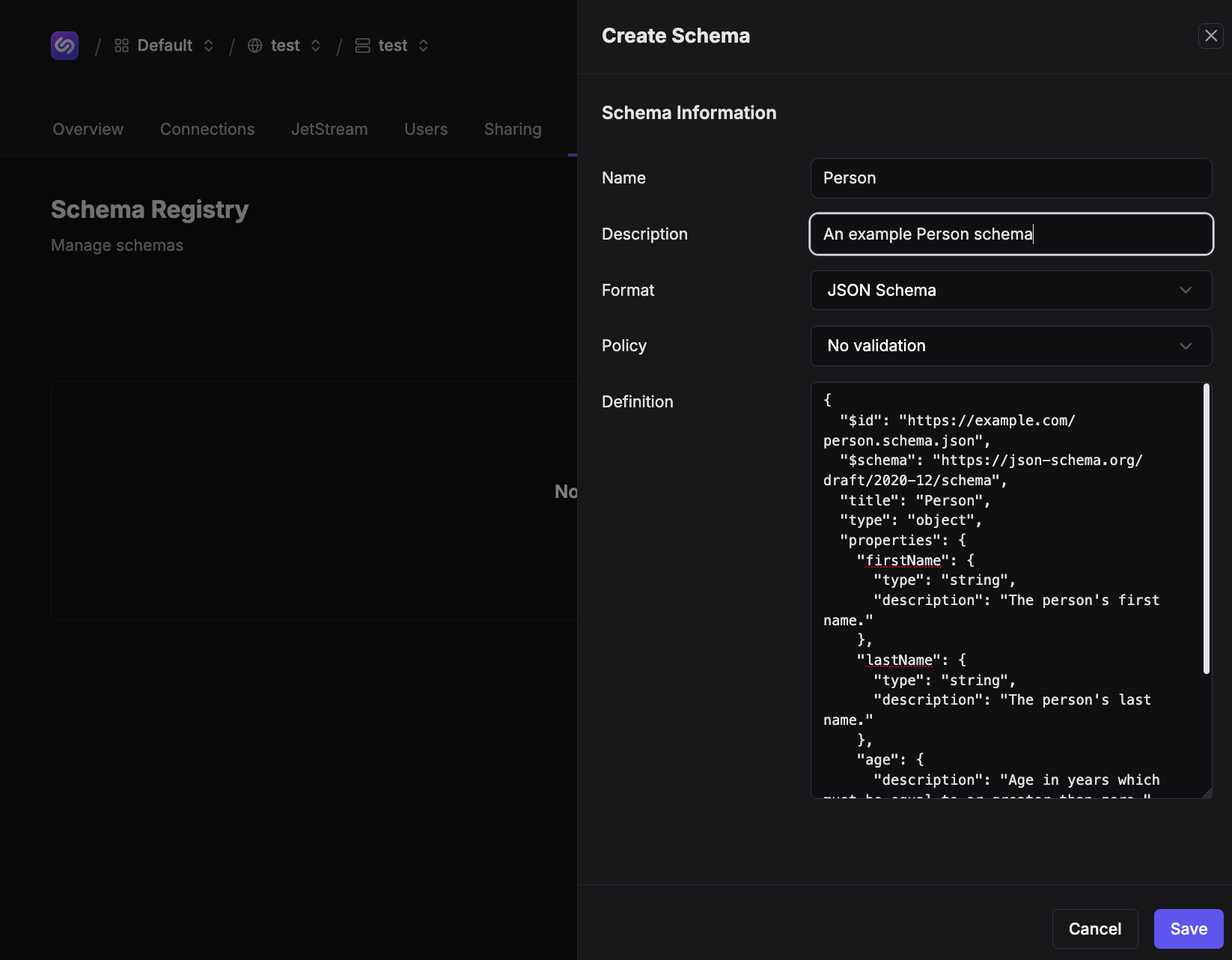
```
{
"$id": "https://example.com/person.schema.json",
"$schema": "https://json-schema.org/draft/2020-12/schema",
"title": "Person1",
"type": "object",
"properties": {
"firstName": {
"type": "string",
"description": "The persons first name."
},
"lastName": {
"type": "string",
"description": "The persons last name."
},
"age": {
"description": "Age in years which must be equal to or greater than zero.",
"type": "integer",
"minimum": 0
}
}
}
```
* **Save** the schema.
Once the schema is saved the page will redirect to the schema's overview page. This shows the schema in detail.
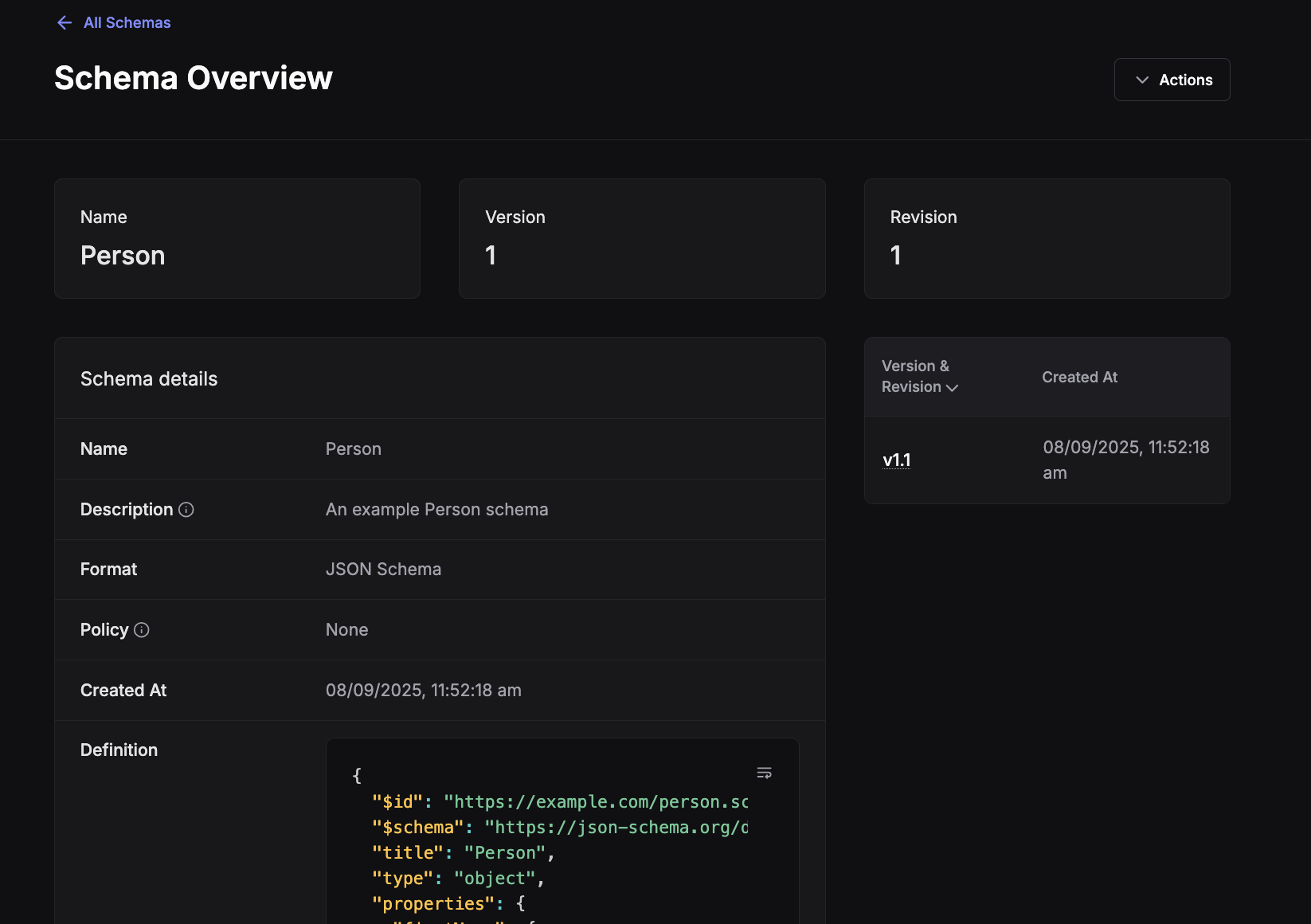
Schemas are created with a **version** and **revision**. The initial schema will be **version 1**, **revision 1**.
Next, we will show how to [update](/platform/1.14/schema-registry/guides/update.md) a schema.
## NATS
Request subject: `$SR.v1.ADD.`
Payload: `{name:"",format:"jsonschema","definition":}`
```
export JSONSCHEMA='{"$id":"https://example.com/person.schema.json","$schema":"https://json-schema.org/draft/2020-12/schema","title":"Person1","type":"object","properties":{"firstName":{"type":"string","description":"The persons first name."},"lastName":{"type":"string","description":"The persons last name."},"age":{"description":"Age in years which must be equal to or greater than zero.","type":"integer","minimum":0}},"format":"jsonschema","compat_policy":"none","description":"Simple Sample","metadata":null}'
nats req '$SR.v1.ADD.Person' "$(jq -nc --arg jsonschema "$JSONSCHEMA" '{name:"Person",format:"jsonschema","definition":$jsonschema}')"
```
## API
Access the Schema Registry API's requires an API token.
```
curl https://${CONTORL_PLANE_URL}/api/schema-registry/alpha/${ACCOUNT_ID}/schemas \
--request POST \
--header 'authorization: Bearer ${TOKEN}' \
--header 'content-type: application/json' \
--data-raw '{
"name": "Person",
"description": "My Person Description",
"format": "jsonschema",
"definition": "{\"$id\": \"https://example.com/person.schema.json\", \"$schema\": \"https://json-schema.org/draft/2020-12/schema\", \"title\": \"Person1\", \"type\": \"object\", \"properties\": {\"firstName\": {\"type\": \"string\", \"description\": \"The persons first name.\"}, \"lastName\": {\"type\": \"string\", \"description\": \"The persons last name.\"}, \"age\": {\"description\": \"Age in years which must be equal to or greater than zero.\", \"type\": \"integer\", \"minimum\": 0}}}"
}'
```
Will return a `201 Created` and response object:
```
{
"revision": 1,
"version": 1
}
```
Refer to the API documentation for more information. For Control Plane this will be [https://${CONTROL_PLANE_URL}/api-docs](https://$%7BCONTROL_PLANE_URL%7D/api-docs)