Update a schema
This guide will demonstrate how to update a schema using the Control Plane user interface and API.
User interface
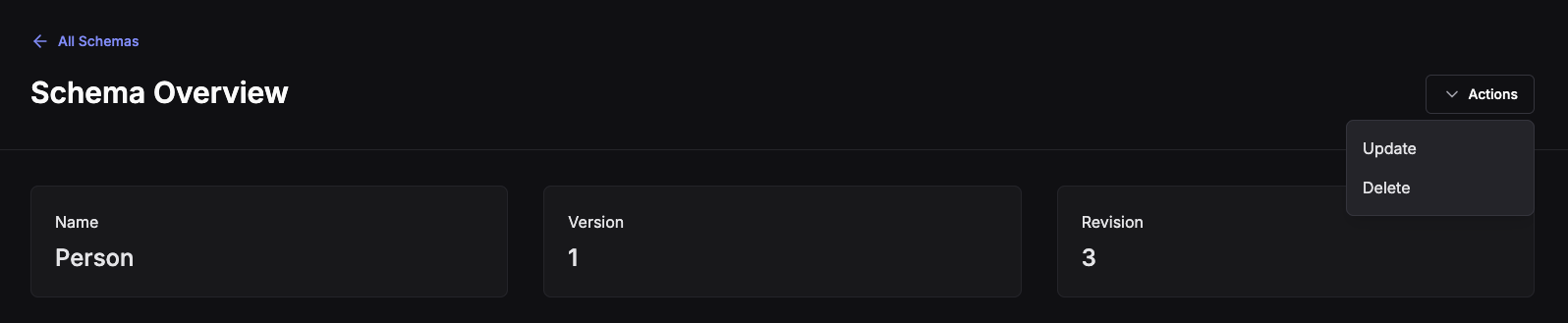
Navigate to the schema you want to update by clicking on the schema name in the dashboard's table.
In the top right-hand side will be an Actions button. Clicking it will reveal options to Update or Delete a schema.
Clicking on Update will display a form with the schema's existing information pre-filled.
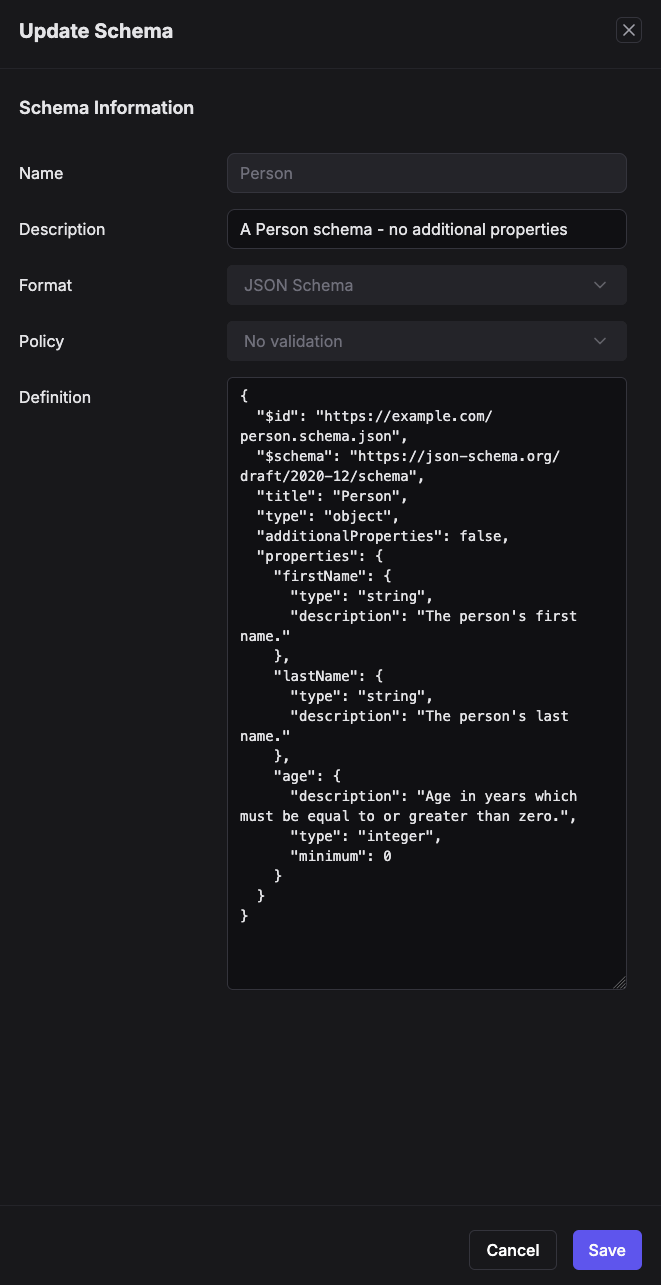
Only the Description and Definition fields are editable when updating an existing schema.
Changing the Name, Format or Policy will require the creation of a new schema - not an update.
Clicking Save will create a new revision and redirect to the new revisions overview page.
NATS
Request subject: $SR.v1.UPDATE.jsonschema.<version>.<revision>.<schema-name>
Payload: {name:"<schema-name>",format:"jsonschema","definition":<schema-definition>}
export JSONSCHEMA='{"$id":"https://example.com/person.schema.json","$schema":"https://json-schema.org/draft/2020-12/schema","title":"Person1","type":"object","properties":{"firstName":{"type":"string","description":"The persons first name."},"lastName":{"type":"string","description":"The persons last name."},"age":{"description":"Age in years which must be equal to or greater than zero.","type":"integer","minimum":0}},"format":"jsonschema","compat_policy":"none","description":"Simple Sample","metadata":null}'

nats req '$SR.v1.UPDATE.jsonschema.1.1.Person' "$(jq -nc --arg jsonschema "$JSONSCHEMA" '{name:"Person",format:"jsonschema","definition":$jsonschema}')"
API
Access the Schema Registry API's requires an API token.
To update a schema, you will need to provide a valid request body. For jsonschema this requires handling nested JSON.
curl --request POST \
  --url https://${CONTROL_PLANE_URL}/api/schema-registry/alpha/${ACCOUNT_ID}/schemas/${SCHEMA_NAME}/${SCHEMA_FORMAT} \
  --header 'authorization: Bearer ${TOKEN}' \
  --header 'content-type: application/json' \
  --data-raw '{
    "name": "Person",
    "description": "My Person Description",
    "format": "jsonschema",
    "definition": "{\"$id\": \"https://example.com/person.schema.json\", \"$schema\": \"https://json-schema.org/draft/2020-12/schema\", \"title\": \"Person1\", \"type\": \"object\", \"properties\": {\"firstName\": {\"type\": \"string\", \"description\": \"The persons first name.\"}, \"lastName\": {\"type\": \"string\", \"description\": \"The persons last name.\"}, \"age\": {\"description\": \"Age in years which must be equal to or greater than zero.\", \"type\": \"integer\", \"minimum\": 0}}}"
  }'
TIP: Using a file with cURL can be simpler here.
A valid response will output the incremented version and revision:
{
  "revision": 4,
  "version": 1
}
Refer to the API documentation for more information. For Control Plane this will be https://${CONTROL_PLANE_URL}/api-docs