HTTP Gateway
A first-class RESTful HTTP interface for NATS.
The KV Store API is currently available in preview to all users.
Connecting
The HTTP Gateway is exposed via a standard endpoint over HTTPS https://api.ngs.global. Refer to the interactive OpenAPI Spec for details on the available endpoints and methods.
An API token is required to connect and is scoped to a User within an Account. Credentials cannot be used directly. The token can be obtained through the user interface or through the Synadia Cloud API.
API token through user interface
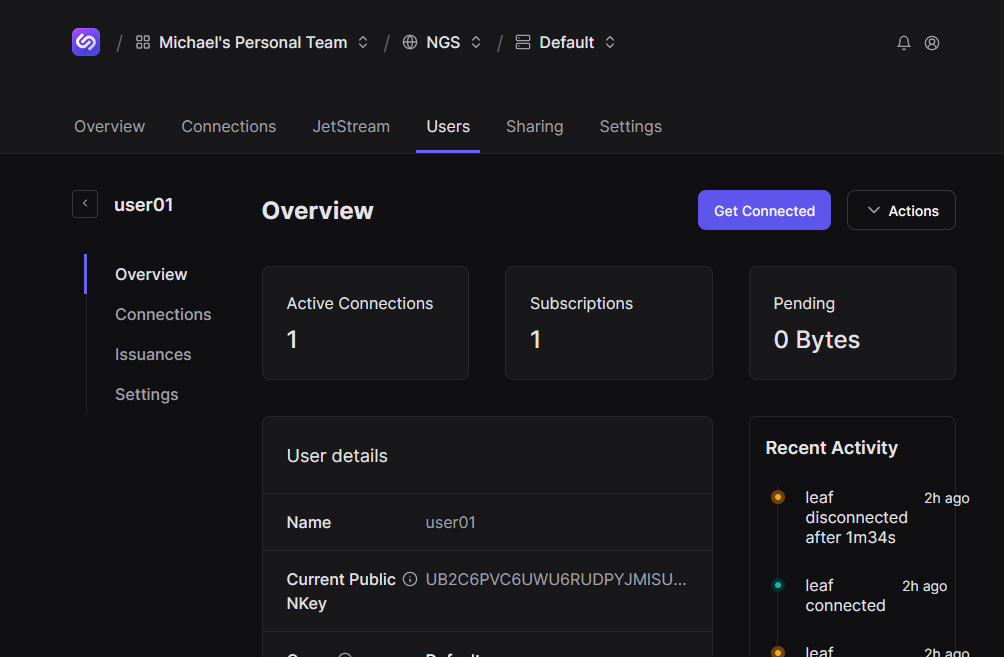
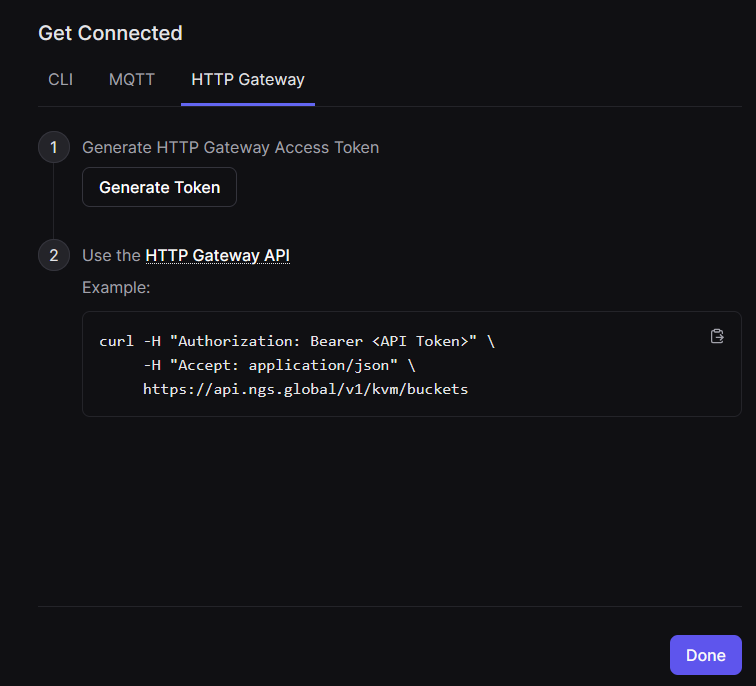
To obtain a token through the user interface:
- Go to the User page and click the Get Connected
- Select the HTTP Gateway dialog
- Click Generate Token
API token through Synadia Cloud API
To obtain an HTTP Gateway token through the Synadia Cloud API, you can use the OpenAPI interface or use an HTTP client to make the request.
curl -X POST -H "Accept: application/json" \
    "https://cloud.synadia.com/api/core/beta/nats-users/{userId}/http-gw-token"
Where {userId} is the ID of the User you want to generate the token for.
First steps
The token will look something like this:
nhg_2DDZKG2rmX7HBhETu_2ZapvJoSwwrs9JibstLG6d7cUW1p6RYSXF68hCTLqgFX
You can confirm it works by trying it out with any standard HTTP client such as curl:
curl -H "Authorization: Bearer <API_TOKEN>" \
    https://api.ngs.global/v1/kvm/buckets
If there are existing KV buckets in your account, you will see them listed, otherwise the response will be an empty array.
More examples
For more examples see the HTTP Gateway preview announcement.
Token management
It is recommended to create dedicated Users for applications that will be using the HTTP Gateway, separate from the NATS-centric applications. A User provides the ability to set permissions and expiry as well as rotate and revoke the associated credentials.
API reference
Refer to the full OpenAPI Reference for more details on the available endpoints and methods.