Synadia Deploy for Kubernetes
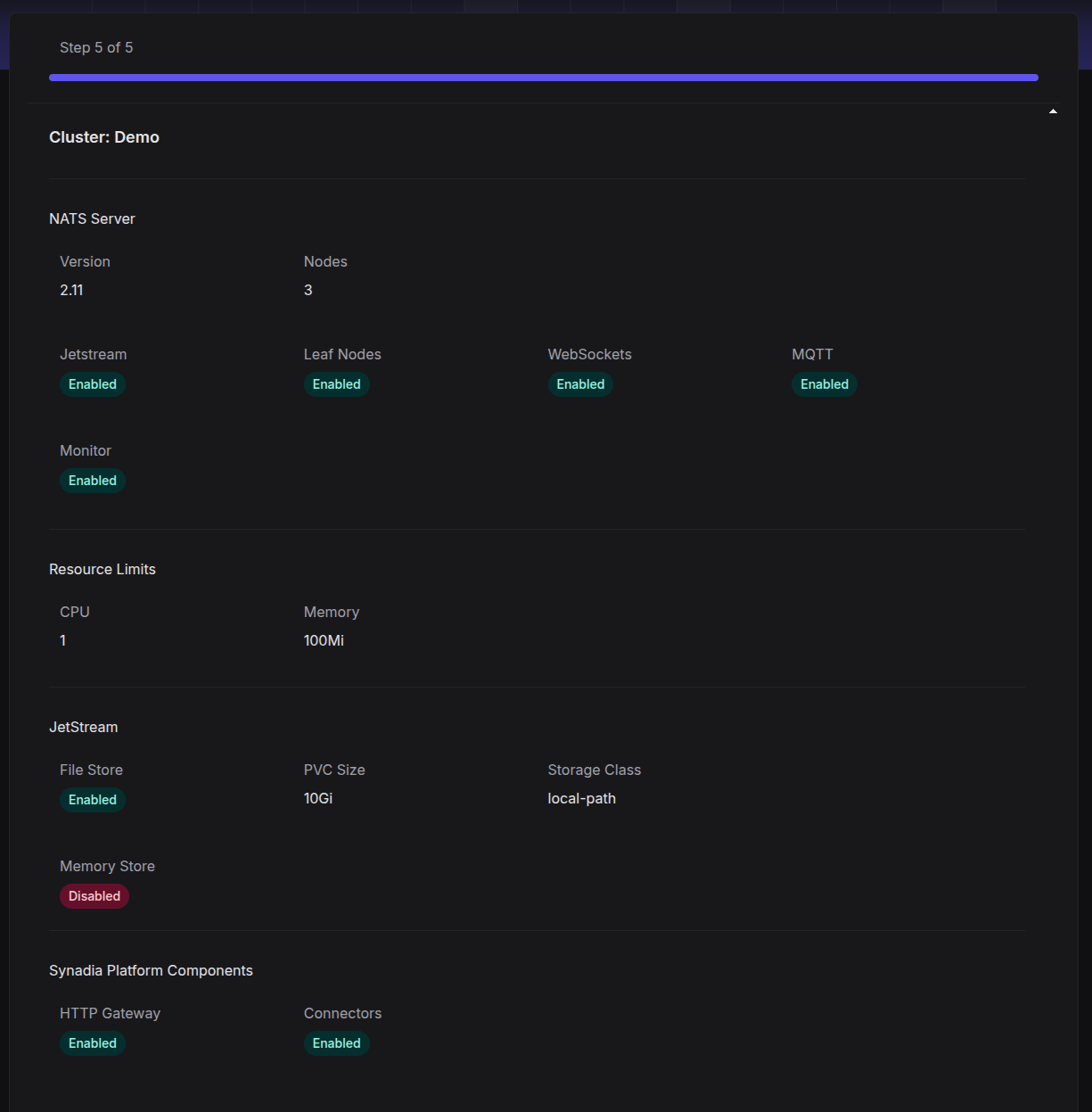
Deploy Synadia Platform
Once the Deploy Agent is connected you will be presented with a wizard to walk you through configuring the Synadia Platform deployment.
NATS Cluster Options
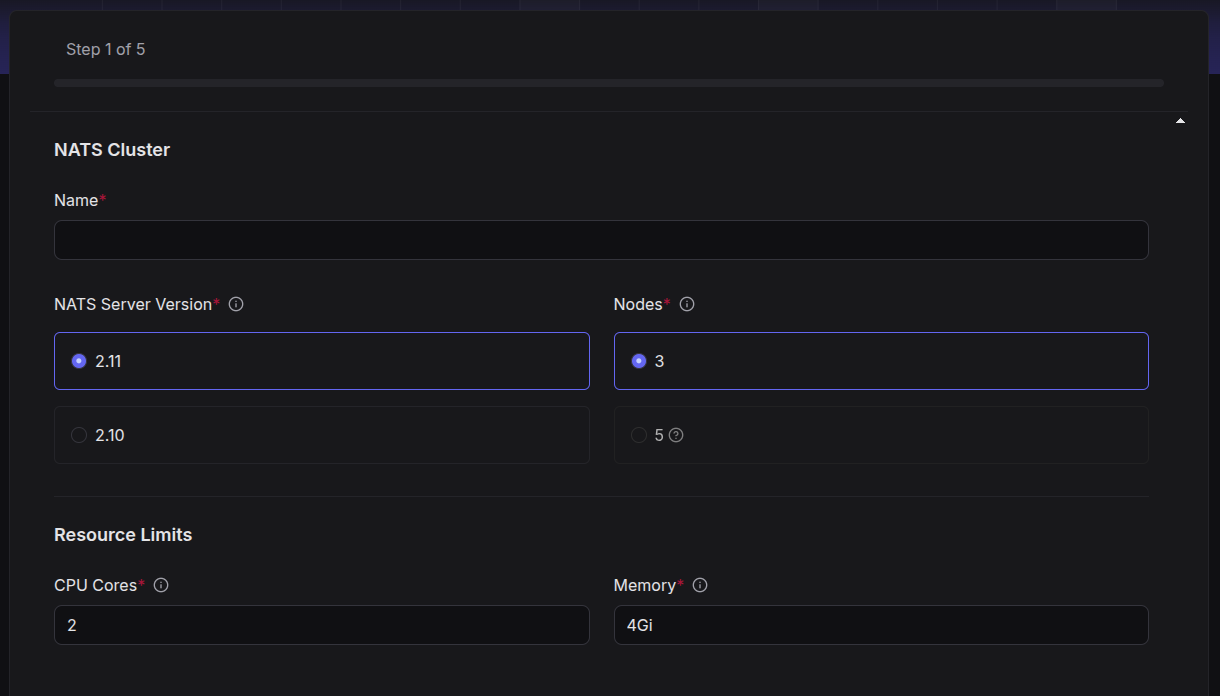
Config options
| name | description |
|---|---|
Name | name for the NATS cluster |
Server Version | NATS Version to install. This will use the latest patch version |
Nodes | number of NATS server nodes to deploy. Trial clusters are limited to 3 |
CPU Cores | CPU limits to set for each NATS Server. You will receive a warning if this number exceeds the amount available for you cluster |
Memory | memory limits to set for each NATS Server. You will receive a warning if this number exceeds the amount available for you cluster |
NATS Cluster Connectivity
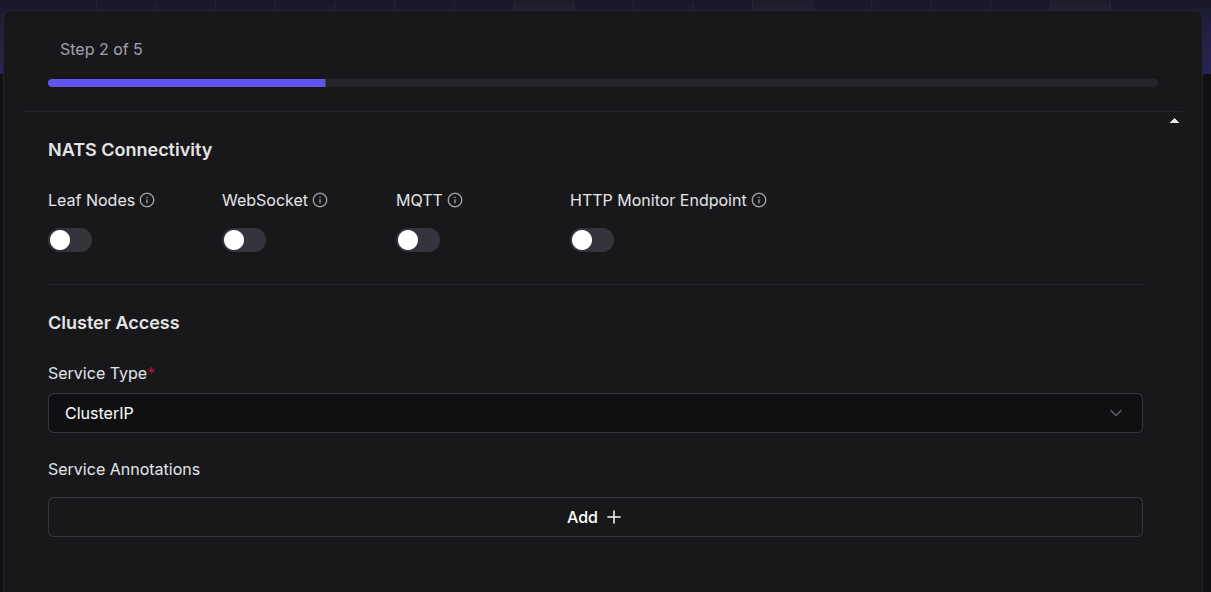
| name | description |
|---|---|
Leaf Nodes | enable leaf node connections |
Websocket | enable websocket client connections |
MQTT | enable the MQTT protocol |
HTTP Monitor Endpoint | enable the http base monitoring endpoints |
Cluster Access | set K8s service type for access to your NATS Cluster: Cluster IP or Loadbalancer |
Service Annotations | add optional annotations to the created K8s NATS service |
NATS JetStream Options
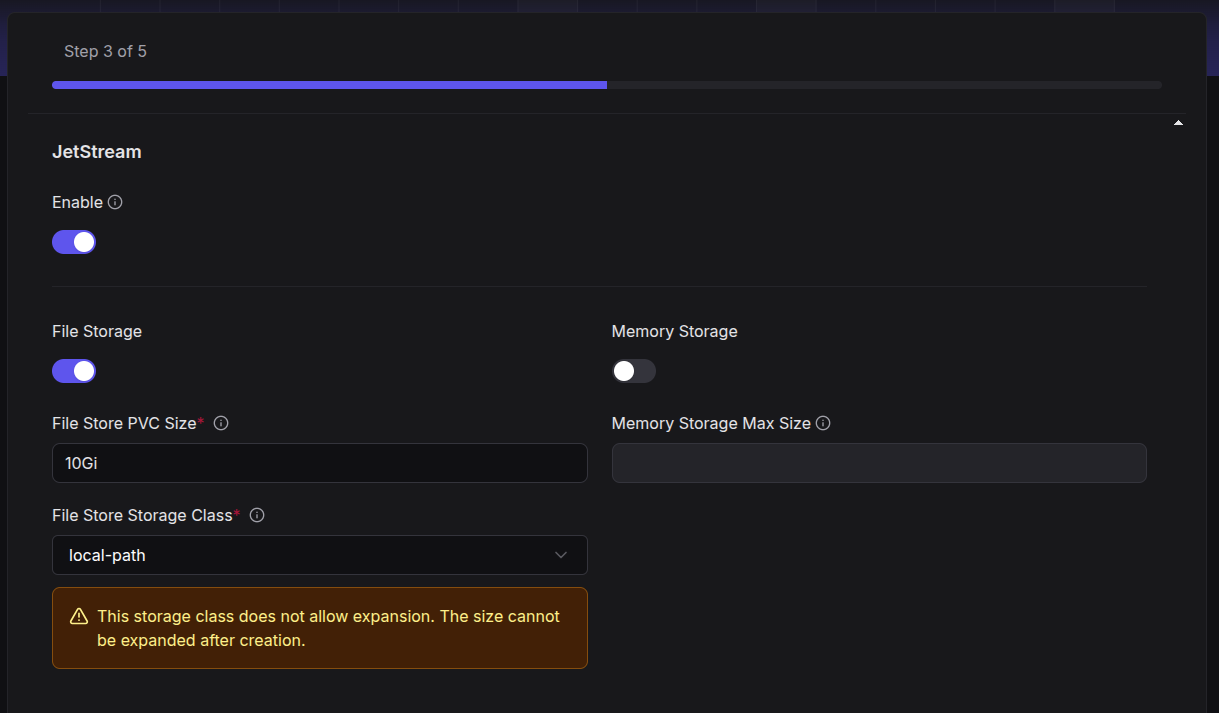
| name | description |
|---|---|
Enable | enable JetStream |
File Storage | allow file-based streams. Will create a PVC |
File Store PVC Size | PVC size to create |
File Store PVC Class | PVC class to use. Populated based on classes available in your cluster. Some classes cannot be resized after creation |
Memory Storage | allow memory-based streams |
Memory Storage Max Size | maximum allowed memory for streams. Cannot be greater than the memory allowed for individual NATS nodes |
Synadia Platform Components
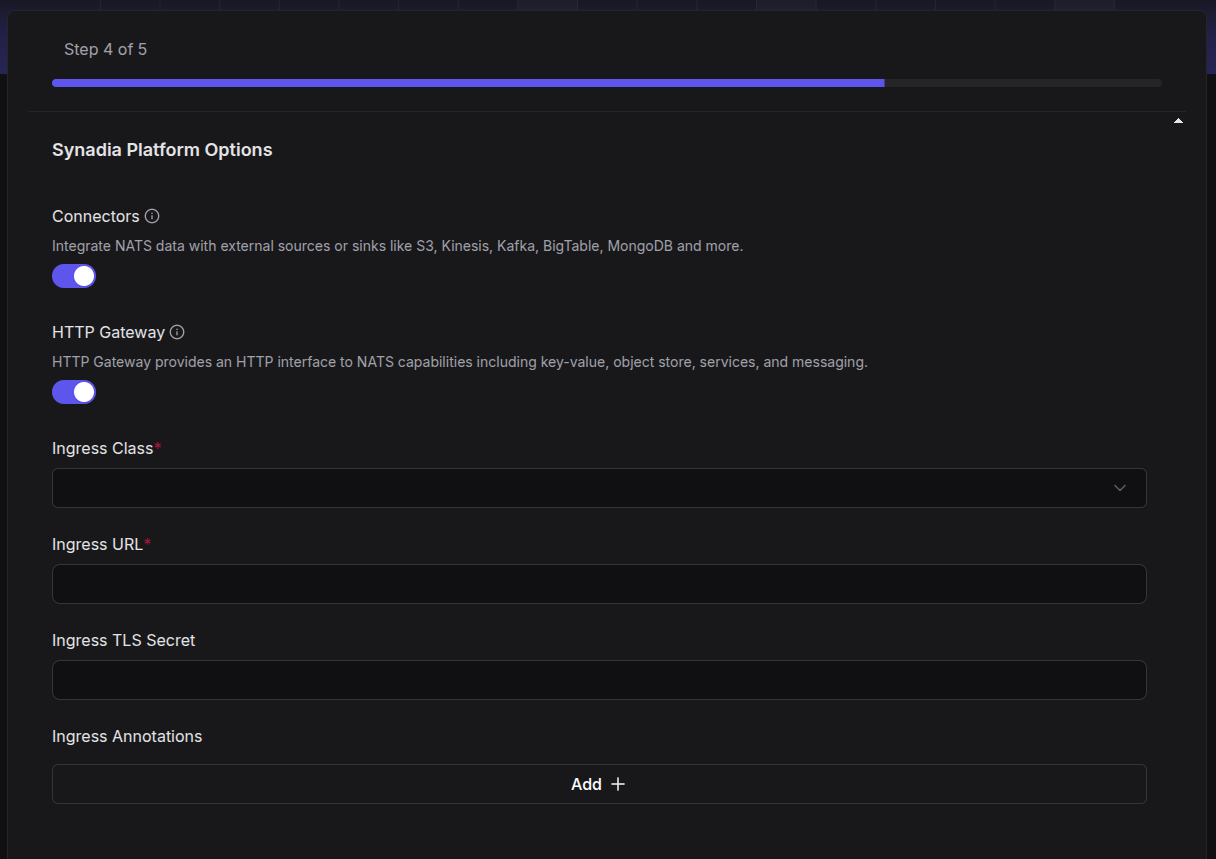
| name | description |
|---|---|
Connectors | (Beta) Connectors are in-cluster workloads that easily connect data sources and sinks to your NATS cluster |
HTTP Gateway | expose NATS capabilities over an HTTP interface |
Ingress Class | ingress class to use for HTTP GW. Populated from classes available in your cluster |
Ingress URL | where the HTTP GW is accessible from. This is for convenience and can be changed later |
Ingress TLS Secret | for https ingress |
Ingress Annotations | optional annotations to be added to the created ingress |
Review and Deploy