

Platform
Okta OIDC Provider
This guide walks through configuring Okta as an OpenID Connect (OIDC) provider for Synadia Control Plane, including setting up group claims for automatic role mapping.
This guide assumes you have an Okta organization with admin access and an existing OIDC provider configured in Control Plane.
Overview
The integration between Okta and Control Plane follows this flow:
- Okta: Create groups and assign users
- Okta: Configure your OIDC application to include a
groupsclaim - Control Plane: Add the OIDC provider with the correct scope and claims mapping
- Control Plane: Create group mappings that link Okta groups to Control Plane roles
Step 1: Create groups in Okta
Groups in Okta are used to organize users. These group names become the identifiers that Control Plane uses for role mapping.
In the Okta Admin Console:
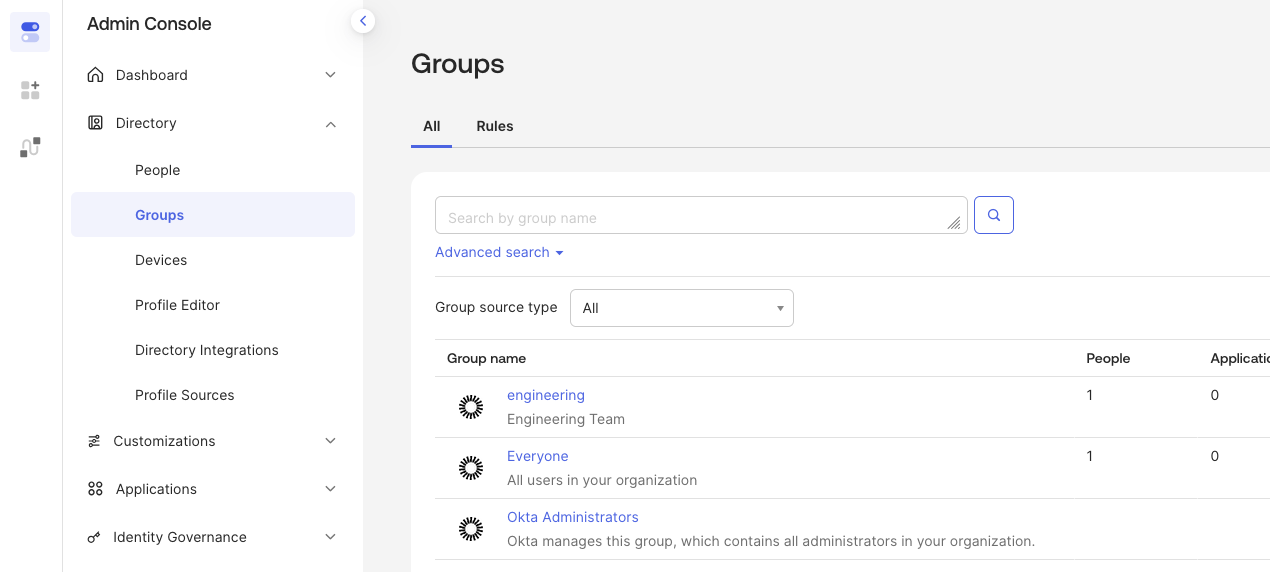
- Navigate to Directory → Groups
- Click Add Group
- Enter a Name (e.g.,
engineering) and optional description - Click Save
Assign users to the group
- Click on the group name to open its detail page
- Click Assign people
- Select users to add to the group
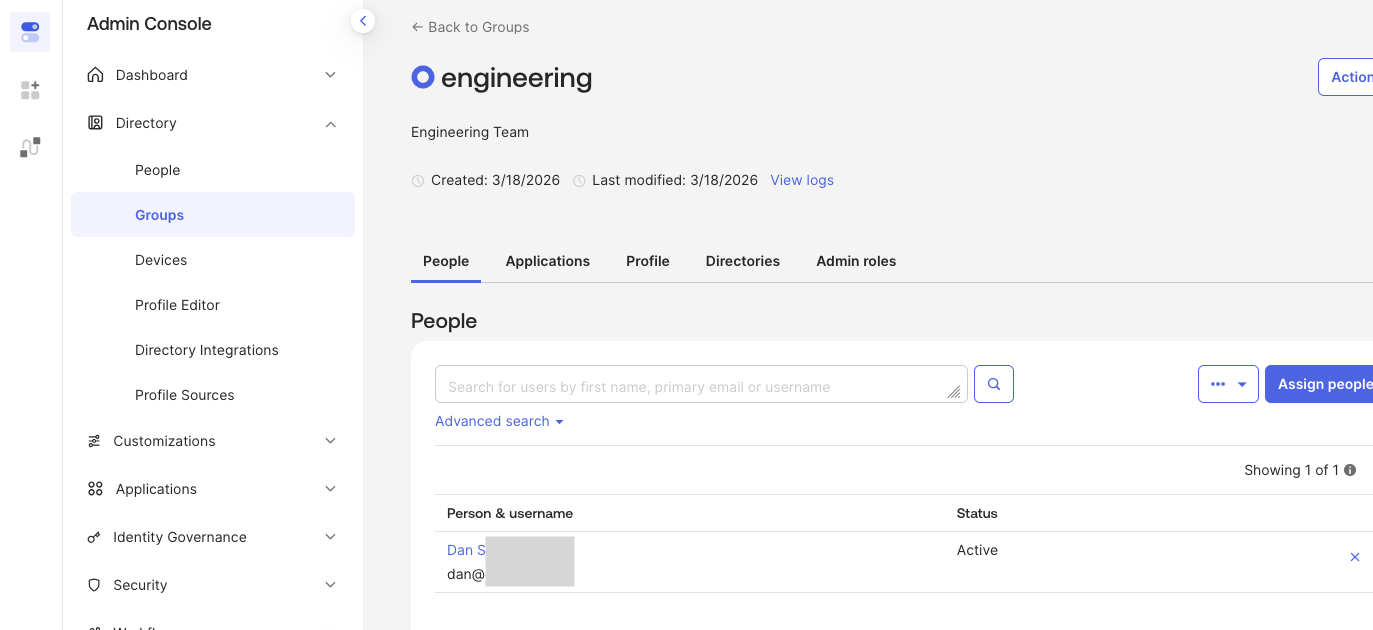
The group name in Okta (e.g., engineering) is the value that will appear in the OIDC token and must match the Group ID configured in Control Plane's group mappings.
Step 2: Configure the groups claim in Okta
Okta must be configured to include group membership in the OIDC token. This is done on the application's Sign On tab under Token Claims.
- In the Okta Admin Console, navigate to Applications → Applications
- Select your OIDC application
- Go to the Sign On tab
- Scroll down to the Token Claims section
- Expand Show legacy configuration to view the Group Claims settings
- Click Edit and configure the groups claim filter to
groupswith Matches regex.*
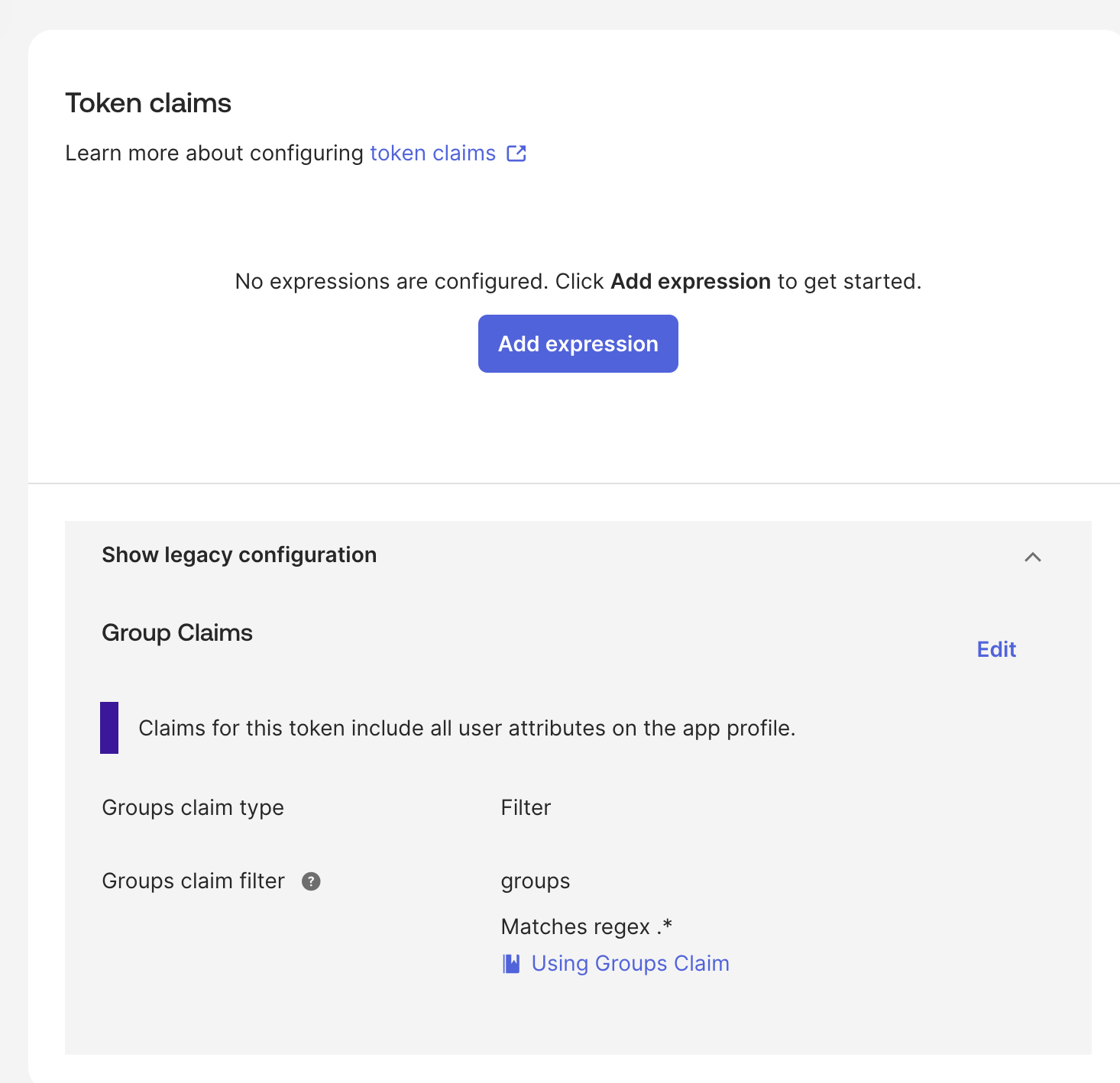
This ensures that when a user authenticates, all their group memberships are included as a groups claim in the id_token.
For more details on customizing group claims, see the Okta documentation on creating group claims.
Step 3: Configure the OIDC provider in Control Plane
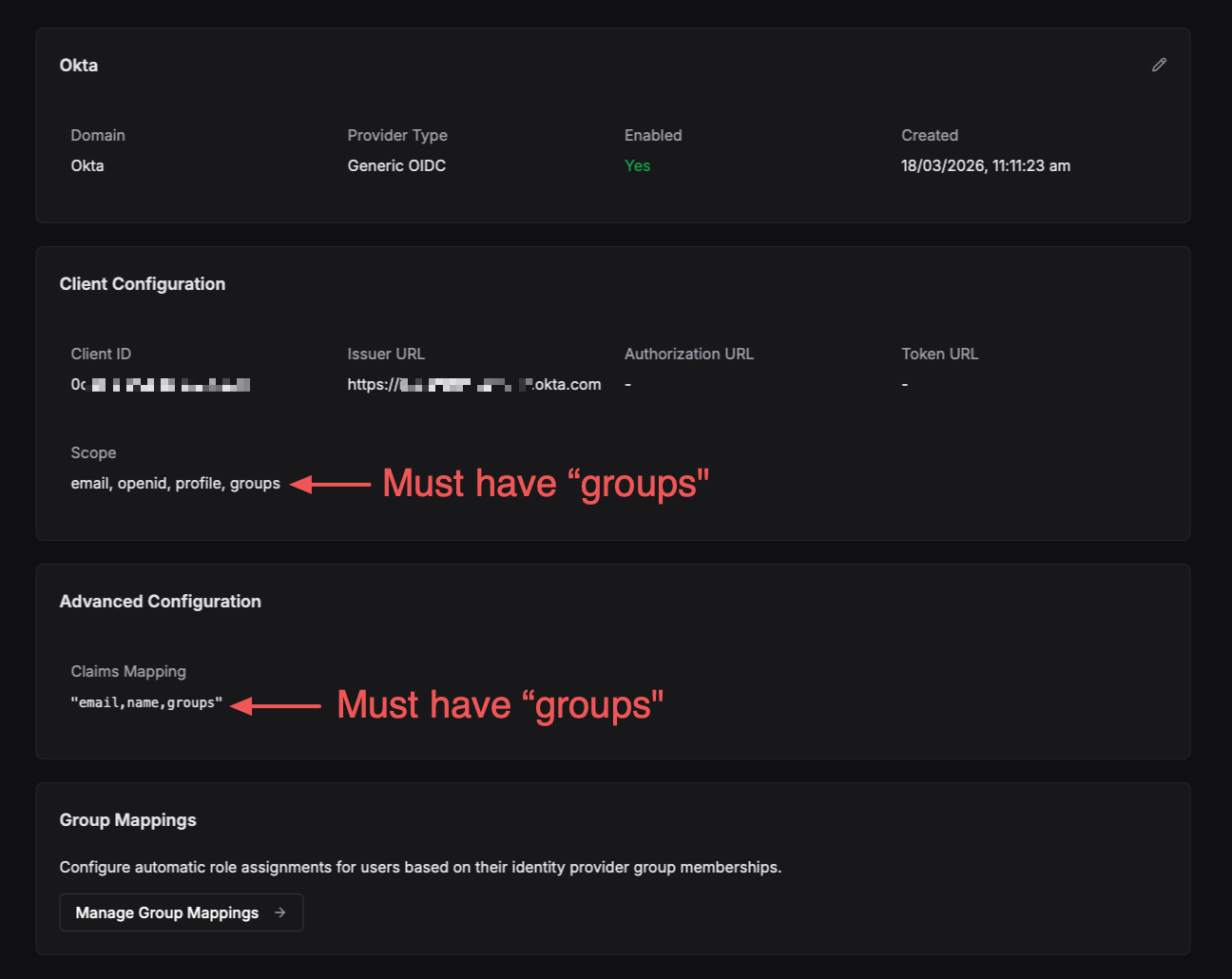
When adding or editing the Okta OIDC provider in Control Plane, two fields require the groups value to enable group mapping.
Scope
The Scope field must include groups alongside the standard OIDC scopes:
email, openid, profile, groups
Claims
The Claims Mapping field in the Advanced Configuration section must also include groups:
"email,name,groups"
Jsonnet mapper
Optional: setting the Claims should be sufficient for most configurations. Jsonnet can be ommited if relying on Claims.
If using Jsonnet is required to extract the groups claim from the token and pass it to Control Plane as a trait. Add the following to the provider's mapper_schema:
local claims = std.extVar('claims');
{
  identity: {
    traits: {
      username: claims.preferred_username,
      name: claims.name,
      [if 'groups' in claims.raw_claims then 'groups' else null]: claims.raw_claims.groups,
    },
  },
}
The groups claim is a custom claim and must be accessed via claims.raw_claims.groups, not directly from the claims object. See the claims mapping documentation for more detail.
Step 4: Create group mappings in Control Plane
With the Okta groups claim flowing into Control Plane, you can now map Okta groups to Control Plane roles.
- Navigate to the OIDC provider detail page
- Scroll to the Group Mappings section
- Click Manage Group Mappings
- Click Add Group Mapping
- Enter the Group ID — this must exactly match the Okta group name (e.g.,
engineering) - Assign teams, systems, and accounts with their respective roles
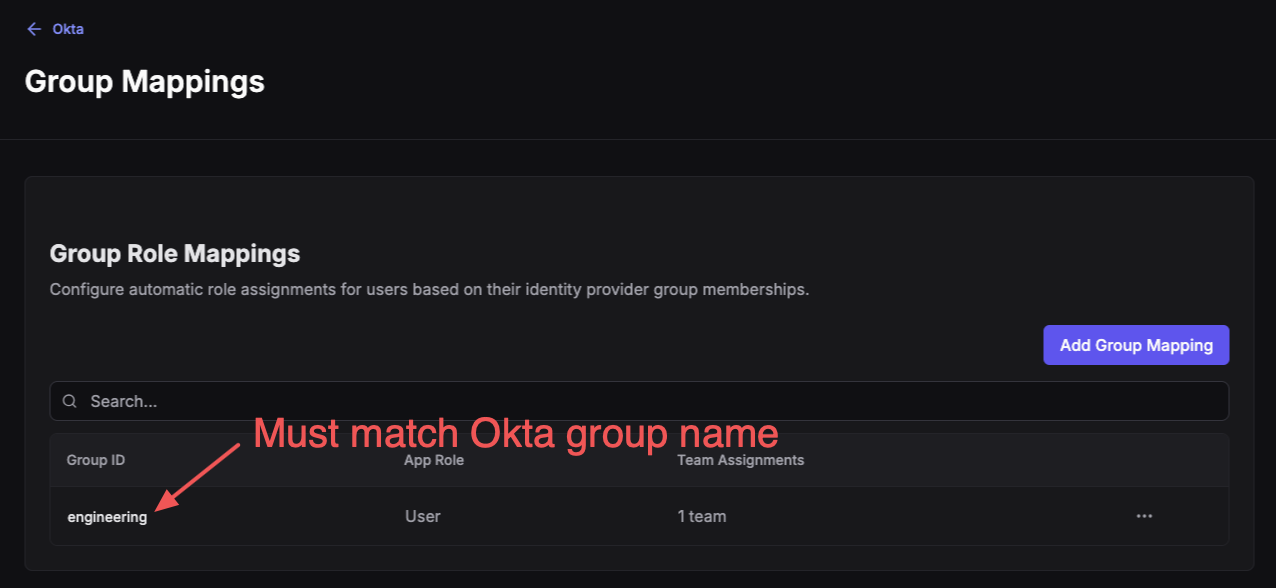
The Group ID is case-sensitive and must exactly match the group name as it appears in the Okta token.
For full details on configuring group mappings and the available roles, see the OIDC Group Mapping section of the main OIDC guide.
Demo
The following video demonstrates the end-to-end setup of Okta OIDC with group mapping in Control Plane.
Best viewed in full-screen or a pop-out window.
Troubleshooting
| Symptom | Cause | Resolution |
|---|---|---|
| Groups not appearing after login | groups scope or claim missing | Verify groups is in both the Scope and Claims Mapping fields on the provider |
| Group mapping not applying roles | Group ID mismatch | Ensure the Group ID in Control Plane exactly matches the Okta group name (case-sensitive) |
groups claim empty in token | Application group claim not configured | Add the groups claim under Applications → your app → Sign On → Token Claims |
| Mapper errors on login | Missing or incorrect Jsonnet mapper | Verify the mapper_schema includes the raw_claims.groups extraction shown above |
| Okta change not applied to user | Existing user token has not been updated | User must re-authenticate to be granted a new token with updated claims |